
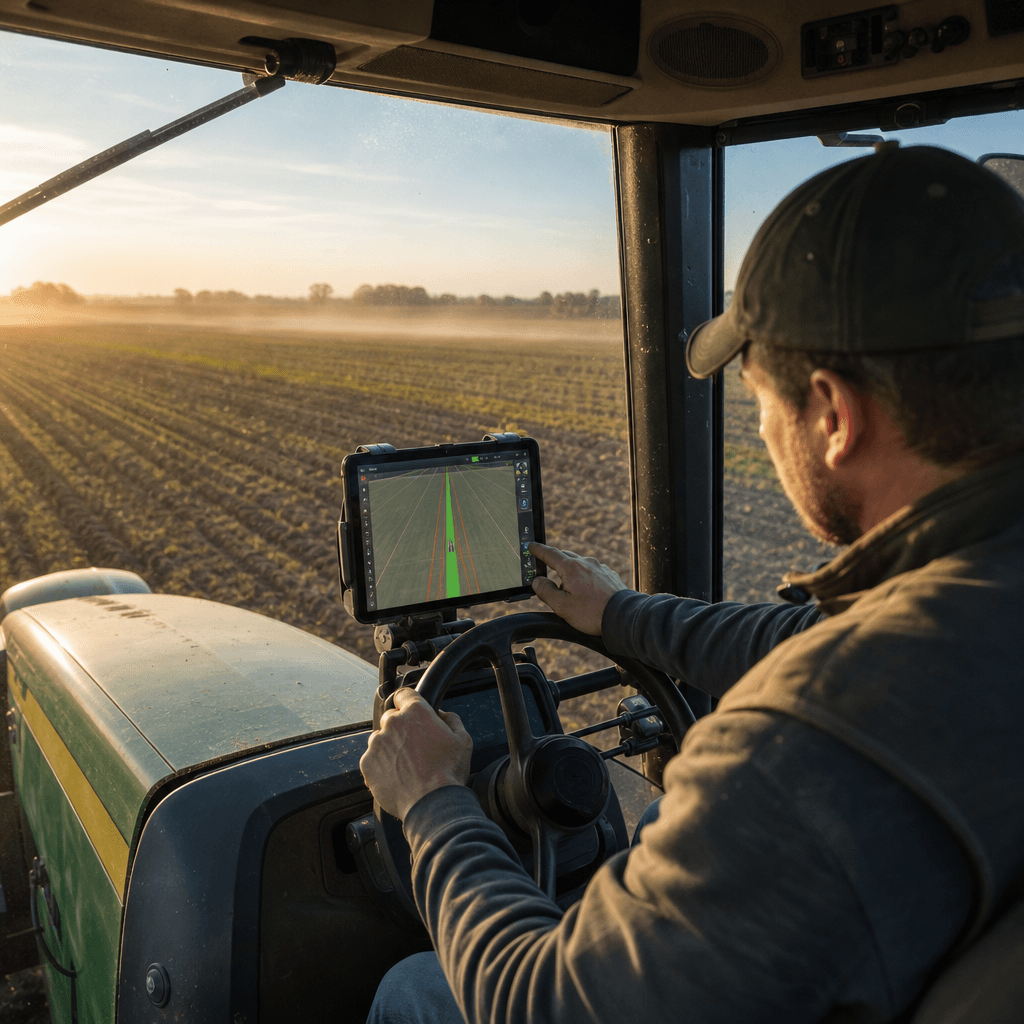
AgOpenGPS for iPad: Native Autosteer Explained
If you have searched for "agopengps for ipad" expecting a single app to download and steer your tractor, the honest answer reshapes the whole plan: there is no turnkey AgOpenGPS app on the App Store, and no phone-only steering. What we build at Agro Navigator is a native iPad and iPhone interface that runs AgOpenGPS-based guidance and autosteer, while an external RTK GNSS receiver, a dedicated ECU, and installed steering hardware do the precision work in the background. The decision you are actually making is not which app to tap, but how to combine four hardware and software layers so a steer-ready tractor holds a centimetre-class line without a Windows laptop in the cab.
This guide explains how that native mobile stack is assembled, which decisions you and your dealer must settle for a specific machine, and how to judge whether this setup fits your farm. It is the hub for our deeper iPad and iOS articles, so we point you to those where they add detail rather than repeating them here.
Table of contents
- • What "agopengps for ipad" actually delivers
- • The four layers behind native mobile autosteer
- • How we implement AgOpenGPS on iPad and Android
- • Decision criteria for your tractor and farm
- • Risks worth managing before you deploy
- • Frequently asked questions
What "agopengps for ipad" actually delivers
AgOpenGPS is an open-source platform for GPS-based guidance, autosteer and implement control built on off-the-shelf hardware and community integrations. Traditional AgOpenGPS builds have usually leaned on a Windows laptop in the cab to run the software and talk to custom control boards. That works, but a laptop is an awkward object to mount, power, and keep alive through dust, vibration and temperature swings.
We keep the AgOpenGPS guidance and autosteer logic and replace the Windows guidance computer with native mobile apps plus a dedicated ECU. The operator uses an iPad, iPhone or Android tablet as the cab display, and the ECU with your AgOpenGPS-compatible boards handles steering, valves and implement control. The device becomes the cockpit; it is not the steering computer.
So "agopengps for ipad" in our sense is a supervised precision-agriculture guidance and autosteer product built around open AgOpenGPS protocols, native Android and iOS clients, and installation-specific ECU and steering hardware. It is neither a downloadable app that steers alone nor a phone-only system. For the longer narrative on running this without a PC, see our explainer on RTK GPS autosteer for iPad without a PC.
The four layers behind native mobile autosteer
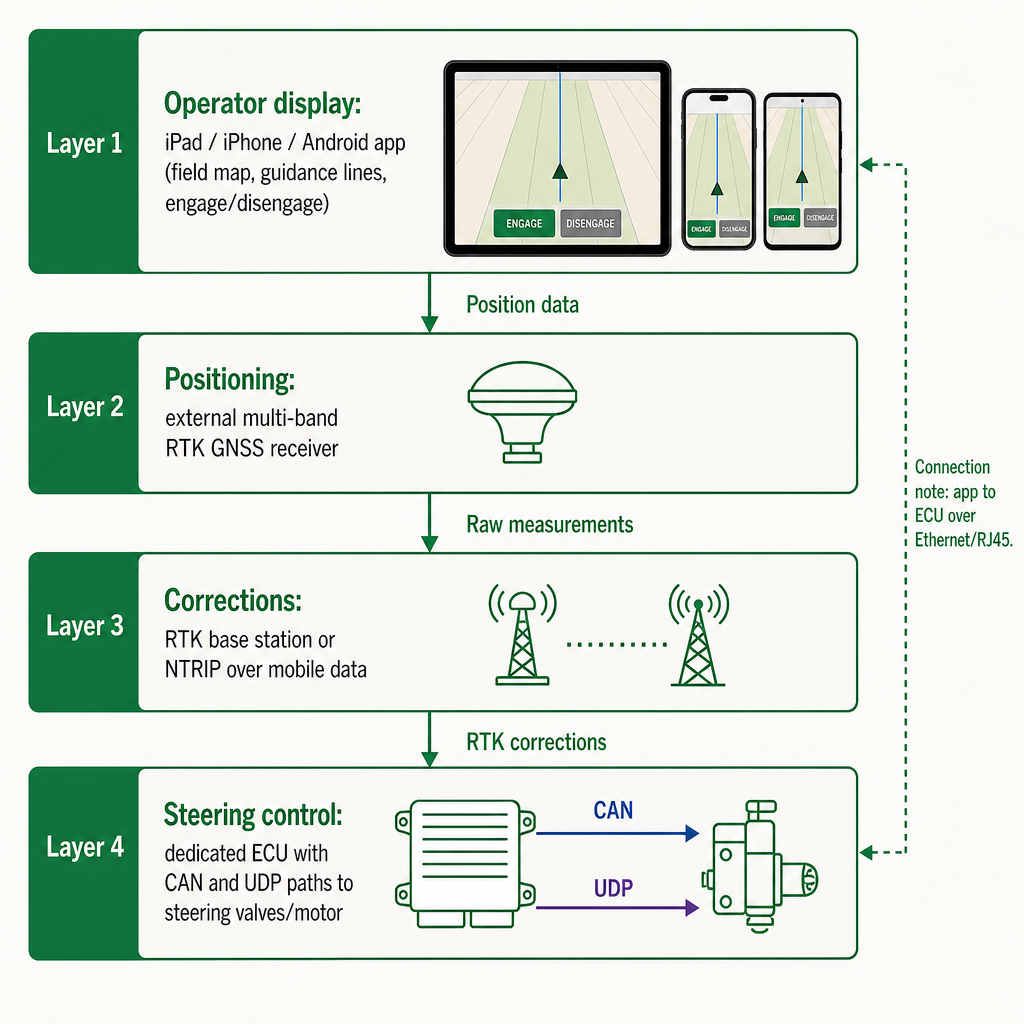
The fastest way to reason about this system is to split it into four independent layers. Each one is a separate choice with its own cost, failure mode and compatibility question, and treating them as one bundle is how buyers get surprised.
Operator display: the mobile cockpit
The display is your iPad, iPhone or Android device running our native app. It shows the field map, guidance lines, headland tools, live machine status, and the controls to engage or disengage autosteer. It also acts as the connectivity hub: it reaches RTK correction services, talks to the ECU over Ethernet or a local RJ45 path, and surfaces diagnostics from the steering hardware. The device is an interface; the heavy computation sits in the ECU and control hardware.
Positioning: external high-precision GNSS
Positioning comes from an external multi-band RTK-capable GNSS receiver, not from the tablet's internal GPS. The base controller does not include GNSS; receiver hardware is an optional module or a separate device that is connected and configured on its own. That separation is deliberate. It lets you match the GNSS brand, antenna placement and accuracy tier to your farm and budget instead of being locked to one integrated box, and it lets existing AgOpenGPS farms reuse receivers they already own where those receivers are supported.
Corrections: RTK, NTRIP and base stations
Corrections are what turn ordinary GNSS into autosteer-grade precision. We support on-farm RTK base stations, NTRIP correction services delivered over mobile data, and other receiver-specific paths where the GNSS hardware and ECU configuration allow. The base ECU is correction-ready but ships without a subscription, SIM plan or base station; those are separate services sourced per farm. An optional 4G connectivity module can be added to deliver NTRIP, enable remote diagnostics and support cloud-based fleet monitoring away from the yard. Without a working correction source, the system falls back to metre-level GNSS suitable for mapping and visual guidance, not for consistent high-precision autosteer.
Steering control: ECU, CAN and implement hardware
Steering is handled by the dedicated ECU and the attached autosteer hardware, whether that is a factory steer-ready valve, a CAN bus steering path, a wheel-motor retrofit or hydraulic valves, never by the tablet itself. The ECU exposes Ethernet/RJ45 to the app, CAN and UDP communication to the machine, and local storage and diagnostics for the autosteer controller. Our base wired model connects to the iPad or iPhone over Ethernet via USB, often through a small hub, and interfaces with the tractor's steering and your existing receiver using open protocols and CAN integration for steer-ready tractors. An advanced model adds integrated 4G for live telemetry, remote monitoring and online dashboards. The exact steering path is installation-specific and must be matched to the tractor, implement and safety requirements on each machine.
How we implement AgOpenGPS on iPad and Android
The guidance and autosteer logic sits on top of the open-source AgOpenGPS platform, while our mobile apps provide a native, touch-friendly front end tailored to cab use. Agro Navigator is positioned as an early-access autosteer app and hardware system for Android, iPad and iPhone, not an iOS-only product. AgOpenGPS community users can move from a Windows laptop to a mobile-first experience without abandoning the AgOpenGPS guidance model, provided their boards and receivers are supported by the current ECU hardware and software. Compatibility is not universal: legacy or heavily customised community builds may need hardware changes, wiring updates or dealer involvement to integrate cleanly. Our wider overview of the AgOpenGPS iOS app for farmers covers the app experience in more depth.
The ECU is an open autosteer controller board with configuration variants tailored to your tractor, receiver and connectivity needs. The hardware configurator is the primary place to review current ECU options, decide whether to include an optional GNSS module, and choose whether to add 4G connectivity or extra I/O paths. It separates the base ECU (controller board, RJ45 app connection, CAN and UDP paths, local storage, power and bench diagnostics) from an optional GNSS receiver module and optional connectivity modules for RTK/NTRIP delivery, cloud control and remote diagnostics. Pricing for the ECU and options lives inside the configurator and can change over time; hardware and correction services are quoted separately after review, reflecting the specific combination of tractor, receiver and correction provider.
Because the guidance logic is AgOpenGPS, core functions such as guidance line creation, autosteer engagement, section driving and implement control are not gated behind feature licenses and can be reused across supported setups. Many farms that already invested in AgOpenGPS hardware can treat our app and ECU as a front-end and control upgrade rather than replacing their whole stack. The flip side of an open platform is that non-standard or experimental hardware may need case-by-case verification instead of assumed compatibility.
Decision criteria for your tractor and farm
Choosing a native AgOpenGPS-based setup is less about brand labels and more about a handful of concrete calls across the four layers. For the full hardware walkthrough, our complete iPad RTK autosteer guide goes component by component.
Operator display. Decide whether the main cab display will be an iPad, iPhone or Android device. Because we support both platforms, the choice usually follows what you already own and trust in the cab, the screen size your operators can read in bright light, and which operating system your team handles comfortably. If your farm already runs iPads for other tasks, reusing them avoids hardware duplication; Android tablets can win where cost or rugged casing options differ.
Positioning and corrections. Decide whether to reuse an existing RTK receiver and AgOpenGPS-compatible boards or add a new receiver through the configurator. Reuse is attractive for existing AgOpenGPS farms, but only if the receiver delivers stable multi-band RTK under your field conditions and connects cleanly to the ECU. For corrections, the real choice is among running your own base station, buying a commercial NTRIP service, or using a receiver-specific path. We support base stations and NTRIP where the receiver and connectivity modules allow, but we do not bundle those subscriptions or guarantee their performance on a given farm, so weigh coverage, uptime, support and long-term cost rather than headline accuracy figures alone.
Steering and machine compatibility. This is where the install becomes tractor-specific. The ECU's CAN and UDP paths, plus any external motor or valves, must match each machine's steering system. Steer-ready tractors with factory hydraulic valves and CAN access generally integrate more cleanly than older machines needing dedicated motors or hydraulic retrofits. Because this is not a universal retrofit kit and cannot act as an emergency-stop or braking system, the installation must keep a trained operator in control, make engagement and disengagement clearly understood and tested, and never treat the setup as unsupervised autonomy or road-use autopilot. That makes compatibility an installation decision, often involving dealers who verify the control path, CAN access, safety margins and cab layout per tractor.
Connectivity and fleet scope. The split between the base wired ECU and a 4G-enabled ECU is mainly a business decision. The base wired model focuses on local autosteer control and a wired link between app and ECU. The 4G variants add live field-to-dashboard telemetry, remote diagnostics and configuration support, and stronger NTRIP delivery away from the yard. One or two tractors often run fine on the wired model, while fleet managers and dealers usually benefit from the telemetry and remote support of the 4G hardware.
Risks worth managing before you deploy
Even a solid AgOpenGPS-based stack carries practical risks that reward planning.
- Accuracy is conditional. RTK-level performance depends on antenna placement, receiver quality, correction reliability, installation quality and field conditions. We do not promise centimetre accuracy in every situation.
- Compatibility is specific. "AgOpenGPS-compatible" means the ECU and app speak the relevant protocols; it does not mean every community board or custom harness works unchanged.
- Safety requires supervision. This is a guidance and autosteer product, not an autonomous vehicle system, emergency-stop controller or road-use autopilot. A trained operator must stay in command and be able to intervene immediately.
- Corrections can drop. Base stations, NTRIP servers and mobile networks all fail sometimes; when they do, the system falls back to lower-accuracy modes and autosteer behaviour changes accordingly.
Managing these through installation checks, operator training, correction redundancy and realistic expectations is what separates a frustrating pilot from a dependable deployment.
Frequently asked questions
Is this an official AgOpenGPS app for iPad?
No. AgOpenGPS remains an open-source platform. We build native Android and iOS apps and dedicated ECU hardware on top of AgOpenGPS guidance and autosteer logic; there is no official turnkey AgOpenGPS app on the App Store.
Does Agro Navigator only work on iPad and iPhone?
No. We run on Android, iPad and iPhone, with the ECU and mobile app working together as the guidance stack. The platform choice is yours to make based on the devices your operators already use.
Can I reuse my existing AgOpenGPS boards and RTK receiver?
Often, yes. We are designed to stay compatible with existing community AgOpenGPS boards and RTK receivers where the hardware and protocols are supported. Compatibility still has to be confirmed for each specific installation.
Where do I see current ECU, GNSS and connectivity options and pricing?
The hardware configurator lists the current ECU variants, optional GNSS modules and connectivity paths with their pricing. Correction services and SIM plans are quoted separately after review of your setup.
Is this a fully autonomous system that can drive on roads?
No. We provide supervised field guidance and autosteer for precision agriculture. It is not a standalone emergency-stop or braking system and is not intended for autonomous use on public roads.