
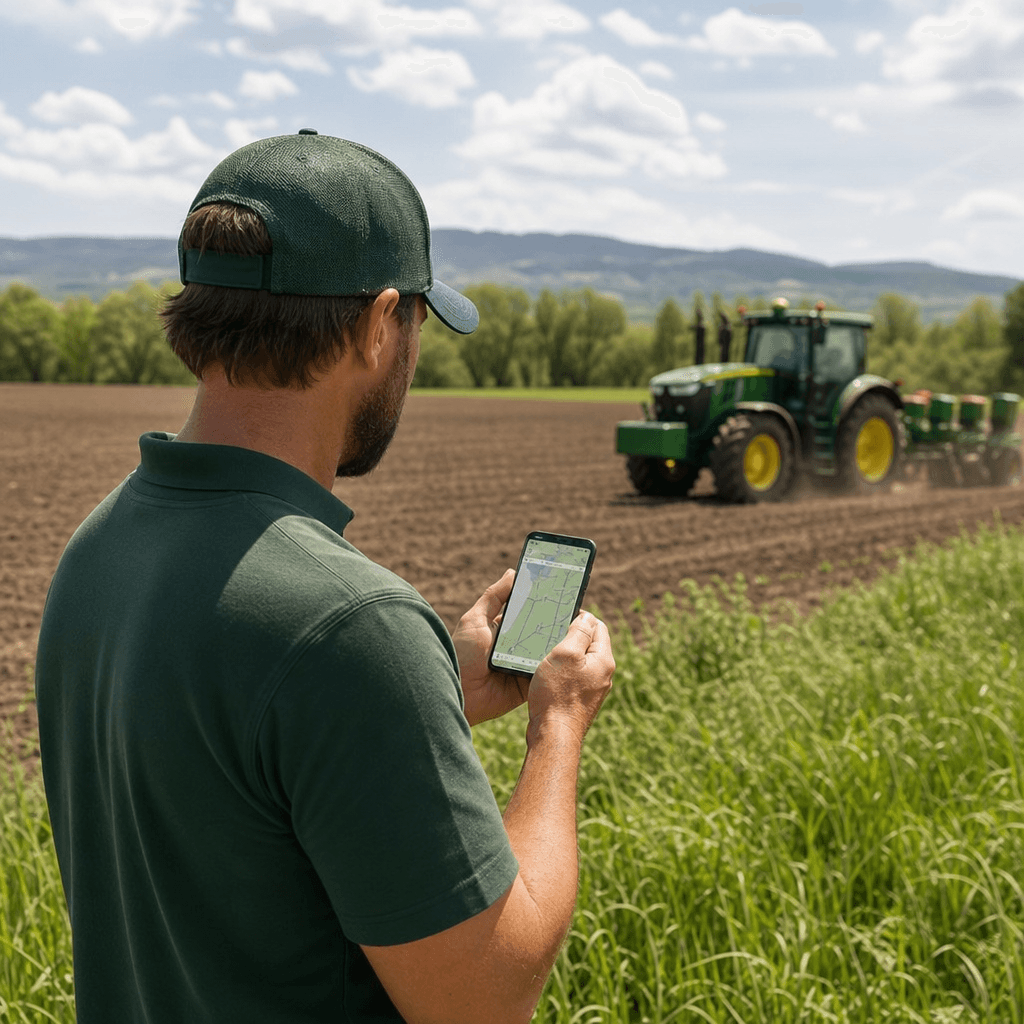
AgOpenGPS iOS App: A Complete Overview for Farmers
Searching for an "AgOpenGPS iOS app" usually starts with a simple hope: run open-source autosteer from the iPad or iPhone already sitting in the cab, and finally leave the Windows laptop behind. The honest answer is that there is no turnkey, farmer-ready AgOpenGPS app on the public App Store you can download and drive with today. What exists instead is Agro Navigator: our independent commercial system built on the open-source AgOpenGPS platform, pairing a native iOS field cockpit with dedicated autosteer hardware that stays compatible with community AgOpenGPS boards and RTK GPS receivers. This guide explains what that means in practice, how the workflow actually functions, and how to decide whether it fits your machines.
Table of contents
- • What an AgOpenGPS iOS app really is (and isn't)
- • The real decision: open autosteer without a Windows PC
- • How the iOS autosteer workflow actually works
- • Hardware and configuration options in practice
- • When our iOS stack is the right choice
- • Risks, limitations, and practical realities
- • Frequently asked questions
What an AgOpenGPS iOS app really is (and isn't)
AgOpenGPS is an open-source precision agriculture platform that delivers GPS-based guidance, autosteer, and implement control using off-the-shelf components and community-built tools. In its classic form, the software runs on a Windows PC in the cab and talks to RTK GNSS receivers and steering hardware to reach centimetre-level accuracy. That architecture is proven, but the guidance computer is a laptop, not a phone.
The AgOpenGPS project is working on a multi-platform rewrite that includes an iOS target, but it is currently distributed as build instructions and source code for technically proficient users who compile and install the app themselves. There is no official, farmer-ready AgOpenGPS iOS app on the App Store that a typical operator can download and use as a finished autosteer solution.
This is the gap we built for. Agro Navigator is a separate commercial product built on the open-source AgOpenGPS platform, delivering a native iOS cockpit plus dedicated autosteer hardware that remain compatible with community AgOpenGPS boards and RTK receivers. We are explicit that our system is not AgOpenGPS and is not affiliated with or endorsed by the AgOpenGPS project. "Compatibility" here means tested interoperability with selected community hardware and open protocol workflows, not a governance relationship. Getting that distinction right up front saves confusion later, because it shapes what you can reuse, what you buy, and where support comes from.
The real decision: open autosteer without a Windows PC
For most DIY AgOpenGPS users, the guidance computer is a Windows laptop or PC running the open-source software. That approach is powerful and inexpensive, but it adds cabling, puts a fragile consumer computer into a harsh environment, and leaves the farmer responsible for ongoing software maintenance.
The question behind any "AgOpenGPS iOS app" search is really this: do you want to keep the open hardware and RTK accuracy of an AgOpenGPS-style system while moving the cockpit to an iPad or iPhone, letting dedicated farm-grade hardware handle steering? Our system is designed around exactly that trade.
- We replace the Windows guidance computer with a native iOS app running on an iPad or iPhone.
- We keep the requirement for proper RTK GNSS hardware and correction data, because centimetre-level positioning still comes from an external receiver, not the tablet's built-in location.
- We maintain compatibility with existing community AgOpenGPS autosteer boards and RTK receivers, so many farms reuse hardware instead of discarding it.
If you want open, community-aligned autosteer but would rather run a supported iOS app and a hardened controller than a laptop, you are in the decision space this product was built for. For a broader primer on the underlying technology, our explainer on RTK autosteer for tractors covers the accuracy fundamentals in more depth.
How the iOS autosteer workflow actually works
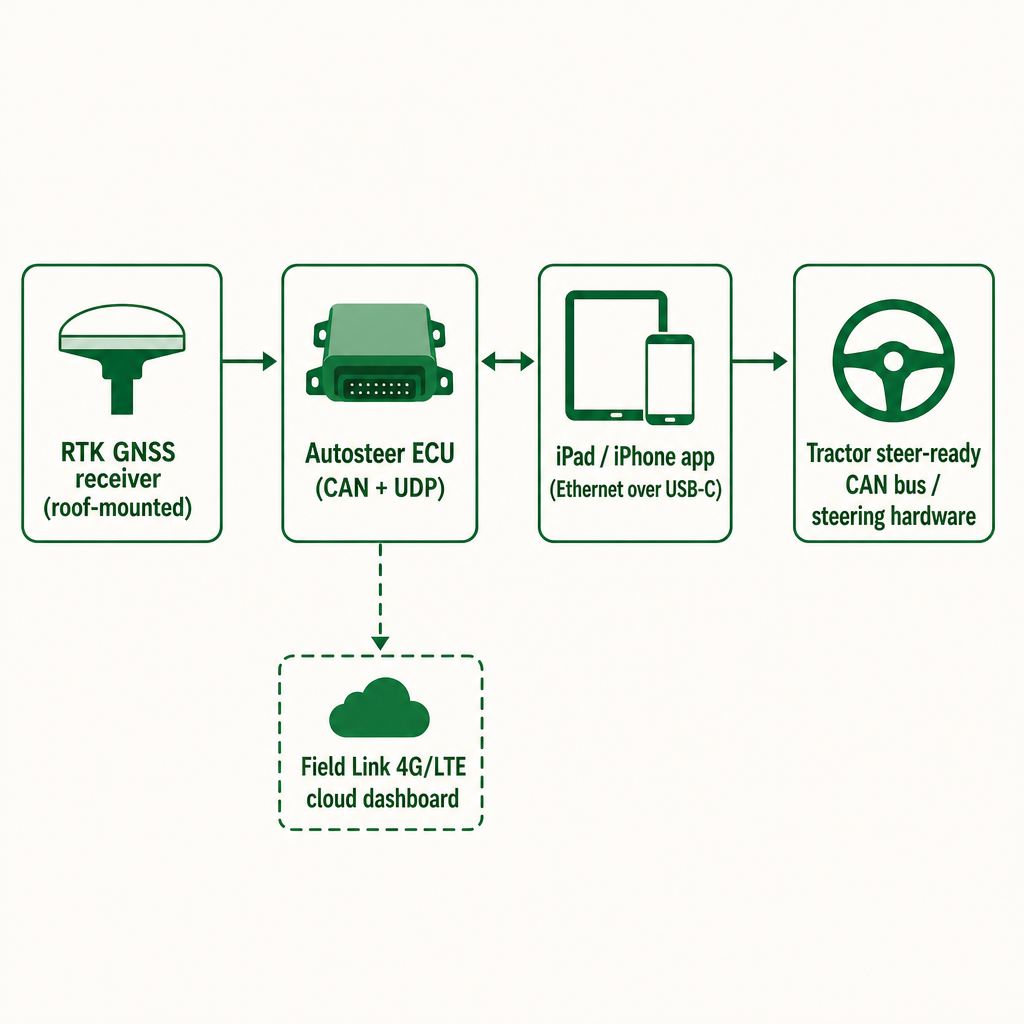
At its simplest, Agro Navigator turns your iPad or iPhone into the field cockpit for an AgOpenGPS-style setup. The app provides the guidance view, field maps, AB lines, autosteer controls, and diagnostics, while an external RTK receiver, an ECU, and steering hardware do the precision work. The device is the interface; the accuracy lives in the hardware.
The chain has four parts. First, an RTK-capable receiver mounted on the tractor supplies centimetre-level position using a correction feed from a base station or network. This is the same principle AgOpenGPS has always relied on: the GPS that matters is on the roof, not in the screen. Second, our dedicated autosteer controller (ECU) sits between the app, the receiver, and the tractor's steering system. It exposes CAN and UDP communication paths and integrates with steer-ready tractors over CAN bus, or with external steering hardware where CAN is not available.
Third, the native iOS app is the control surface. It connects to the ECU over Ethernet, using the ECU's RJ45 port and a USB-C Ethernet adapter on the iPad or iPhone, for reliable local control. The app displays guidance and autosteer status, lets the operator configure vehicle parameters and implements, and sends steering and control commands to the ECU based on AgOpenGPS-style guidance logic.
Fourth, an optional cloud layer becomes available when the ECU carries the Field Link 4G/LTE module. In that configuration it streams machine telemetry and field data to an online dashboard for remote monitoring, alerting, and fleet management. The app stays the in-cab cockpit; the cellular module adds oversight across machines.
One point is not negotiable: the iPad or iPhone is never turned into an RTK receiver or a steering controller. It is the display, setup, and diagnostics surface, and every safety-critical steering action is handled by purpose-built hardware. That mirrors sound practice across precision agriculture, where consumer tablets are treated as user interfaces rather than the source of centimetre-level positioning or actuator control. If satellite guidance itself is new to you, our overview of GPS for precision farming explains how the positioning side fits together.
Hardware and configuration options in practice
Our hardware stack gives you a choice between a simpler local-only setup and a more connected, fleet-oriented configuration. Both share the same iOS cockpit and the same commitment to reusing existing open hardware.
The base wired ECU includes the autosteer controller with CAN and UDP paths, an RJ45 Ethernet port for the local app connection, and power input with basic local storage for logs and diagnostics. In a working tractor it typically sits behind the dash or in a protected enclosure, connecting to the RTK GNSS receiver through standard interfaces, to the steer-ready CAN bus or external steering hardware, and to the iPad or iPhone through the USB-C Ethernet adapter. This configuration suits single-machine or small-fleet farms whose main requirement is dependable in-cab autosteer using the iOS device they already own.
Adding the Field Link 4G/LTE module gives the ECU a cellular uplink. That unlocks live telemetry from each machine, remote monitoring through an online dashboard, and fleet management across multiple tractors running autosteer. This version targets fleet managers and multi-machine operations that need visibility across the whole farm, not just a cleaner interface in one cab.
| Capability | Base wired ECU | ECU + Field Link 4G/LTE |
|---|---|---|
| iOS app cockpit | Yes | Yes |
| Local ECU connection | Ethernet over USB-C | Ethernet over USB-C |
| CAN bus / steer-ready integration | Yes | Yes |
| Live telemetry | No | Yes |
| Remote monitoring dashboard | No | Yes |
| Fleet management | No | Yes |
In both configurations the emphasis stays on compatibility with existing community AgOpenGPS boards and RTK receivers, letting farms protect their hardware investment while modernizing the cockpit.
When our iOS stack is the right choice
Choosing an "AgOpenGPS iOS app" is less about the logo on the software and more about your hardware, workflow, and support expectations. A few criteria separate a good fit from a poor one.
Start with your existing hardware. If you already run AgOpenGPS with community autosteer boards and an RTK receiver, our compatibility lets you keep most of that investment and move the guidance computer from Windows to iOS, cutting cab complexity without a full replacement. Next, weigh operator comfort. Farms that already lean on iPads or iPhones for management, and want a polished mobile interface for hired or seasonal staff, often prefer a native iOS cockpit. Highly technical users who enjoy tinkering may be perfectly content staying with a pure Windows open-source stack.
Tractor readiness matters too. Steer-ready tractors with CAN bus integration match an ECU-based system well, because the controller plugs into existing steering capability rather than bolting on aftermarket actuators. For older machines, you must budget for steering hardware regardless of whether the cockpit is Windows or iOS. Then consider fleet needs: if you manage several machines across fields and value live telemetry, remote diagnostics, and utilization tracking, the Field Link option and dashboard become real advantages, while a single-tractor farm may prefer the base wired ECU and skip recurring connectivity costs.
Finally, think about openness versus lock-in. Classic AgOpenGPS is open and community-driven but pushes more integration and troubleshooting onto the farmer. We keep open hardware and protocol compatibility while offering a supported commercial controller and app, aiming to reduce lock-in compared with closed proprietary guidance systems. If affordable RTK autosteer, minimal lock-in, and a modern iOS interface with clear upgrade paths are your priorities, this stack is closely aligned; our deeper look at affordable RTK autosteer for tractors works through the cost side of that decision.
Risks, limitations, and practical realities
Honesty about the constraints protects your season. First, this is not an official AgOpenGPS product. We state plainly that our system is not AgOpenGPS, not an official iOS version, and not endorsed by the project. Compatibility is a technical claim about working with selected boards and protocols, which means community innovation and our commercial roadmap will evolve independently.
Second, availability. The Android and iOS apps and the hardware stack are in field-ready development and offered through early-access evaluation, and our documentation deliberately avoids claiming a public App Store download. Treat the system as a mature prototype: functional in real fields, still refining based on early customer feedback, with access managed through evaluation rather than an open release.
Third, the hardware and correction requirements do not disappear because the cockpit is iOS. You still need a proper RTK GNSS receiver, access to RTK correction data from a base station or network, and an autosteer ECU with supported steering hardware. Relying on the iPad or iPhone's built-in location instead of real RTK hardware will not deliver centimetre-level autosteer, and our documentation warns against attempting it.
Fourth, connectivity assumptions apply to telemetry. The dashboard and live-monitoring functions depend on 4G/LTE coverage at each machine fitted with the Field Link module. Farms in areas with patchy cellular service should design around coverage gaps or focus on the base wired configuration for reliable in-cab operation. Finally, expect some integration variability: we test with selected community AgOpenGPS boards and workflows, but heavily customized or unusual DIY hardware may need case-by-case validation when moving to a commercial ECU.
Frequently asked questions
Is Agro Navigator the official AgOpenGPS iOS app?
No. We are an independent commercial product built on the open-source AgOpenGPS platform, and we are not affiliated with, sponsored by, or endorsed by the AgOpenGPS project.
What does the iOS app actually do in the cab?
It acts as the field cockpit: displaying guidance, managing fields and lines, configuring the vehicle and implements, and sending autosteer commands to the ECU, while external RTK hardware provides the precise position.
Can I get centimetre-level accuracy using just my iPad or iPhone?
No. The tablet's built-in positioning is consumer-grade and cannot replace a dedicated RTK GNSS receiver with correction data. The system relies on external RTK hardware for its precision.
Do I need new hardware if I already run AgOpenGPS?
If you already own community AgOpenGPS autosteer boards and an RTK receiver, you can typically keep them and add our ECU and iOS app as a new cockpit, subject to compatibility with your specific boards and wiring.
Who is the advanced 4G/LTE configuration for?
The ECU plus Field Link 4G/LTE module and online dashboard are aimed at operations that need live telemetry, remote monitoring, and fleet management across multiple autosteer-equipped machines.